
Assigning data using tags in CRM helps you quickly filter and distribute contact data to the sales team. It ensures that the right data reaches the right person without confusion.
By using tags and scheduling assignments, you can organise data efficiently, track allocations, and improve follow-up processes. This method helps maintain clarity and better control over your contact database.
Learn More
Step-by-Step Guide
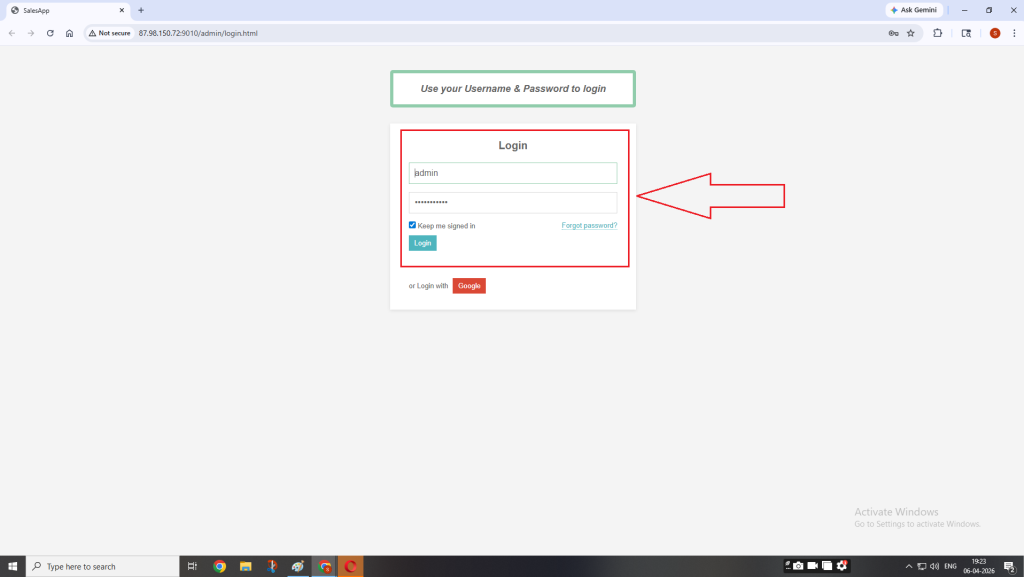
Step 1: Login to Admin Panel
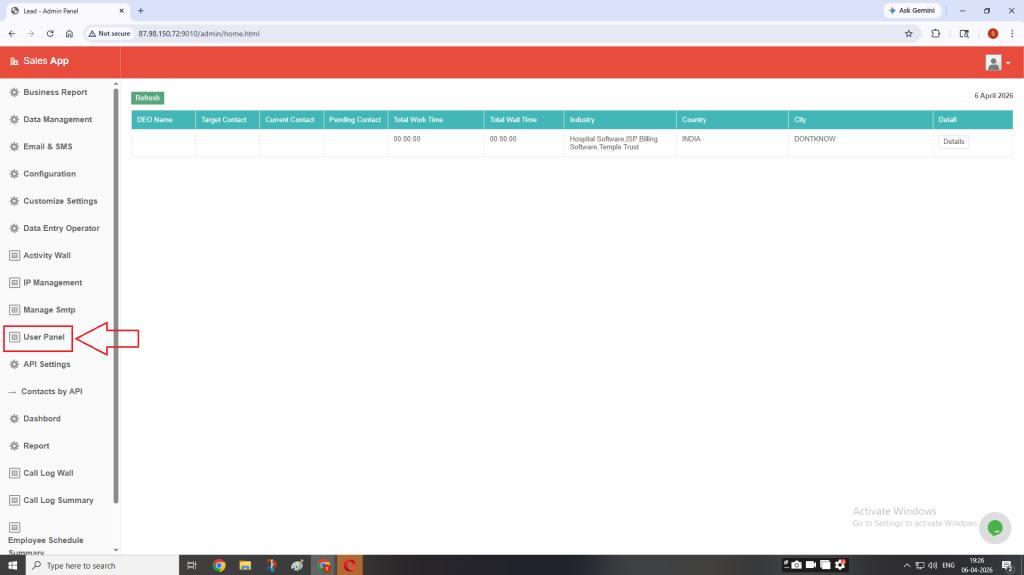
Step 2: On the left-hand side menu, click on User Panel.
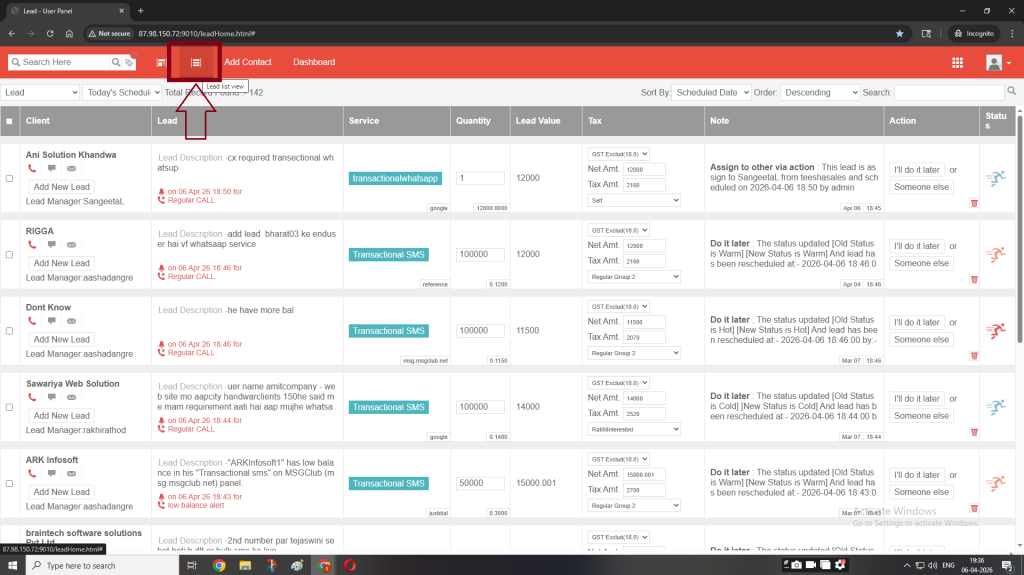
Step 3: Click on the Lead List View icon to see all the contacts.
Step 4: Click on the Search bar.
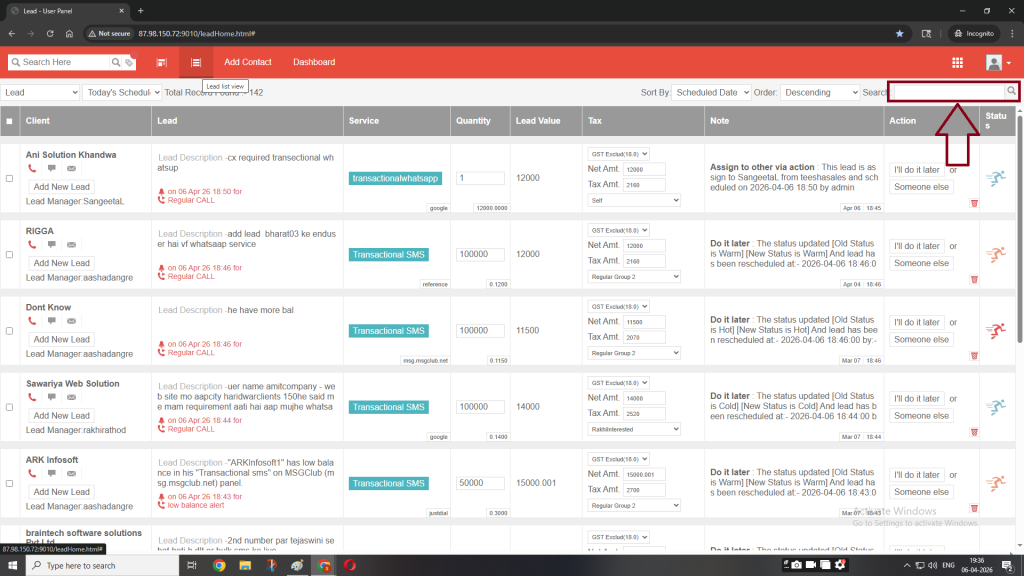
Here you can search the data through various filters
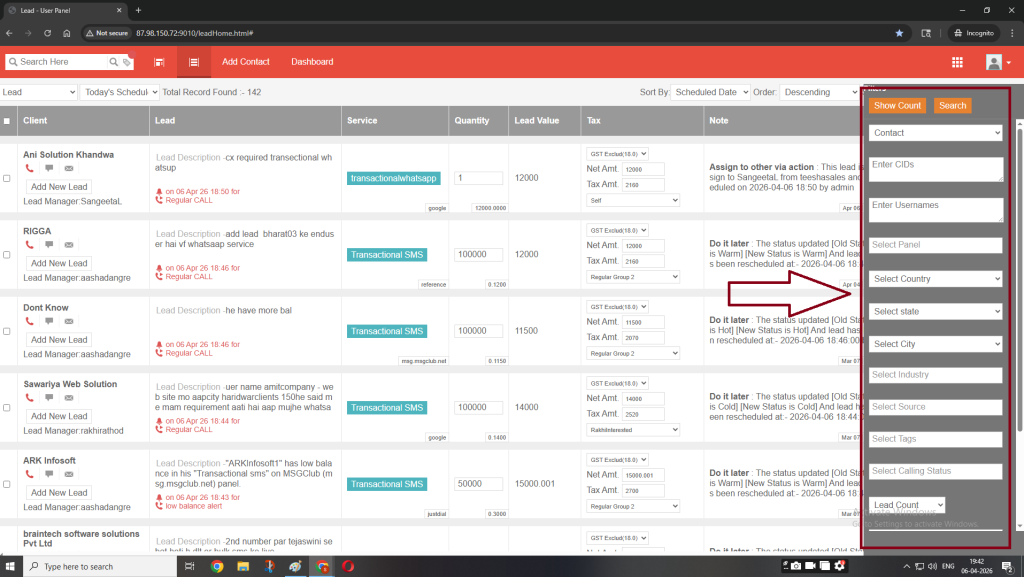
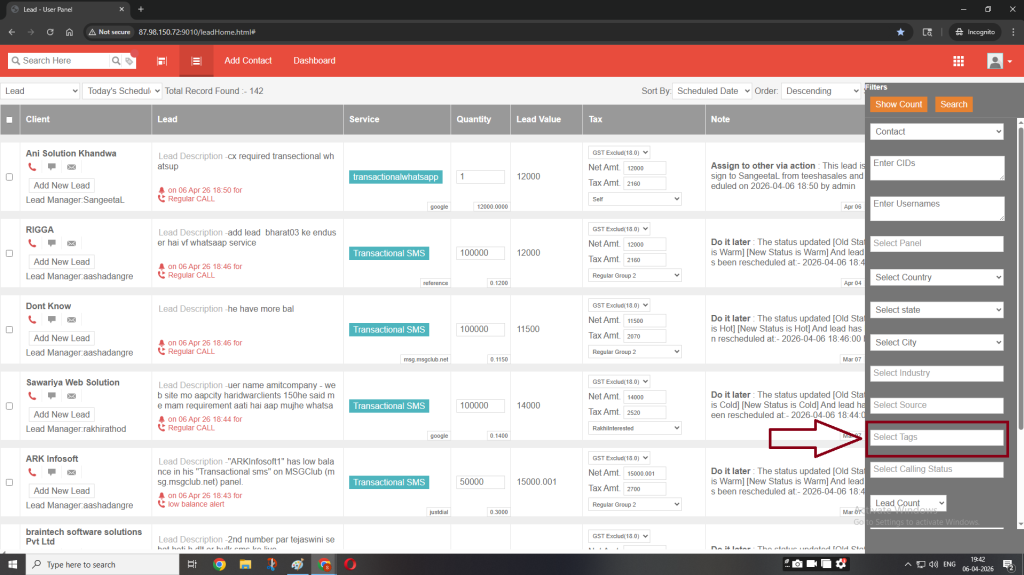
Step 5: Enter the required tag in the Select Tag field.
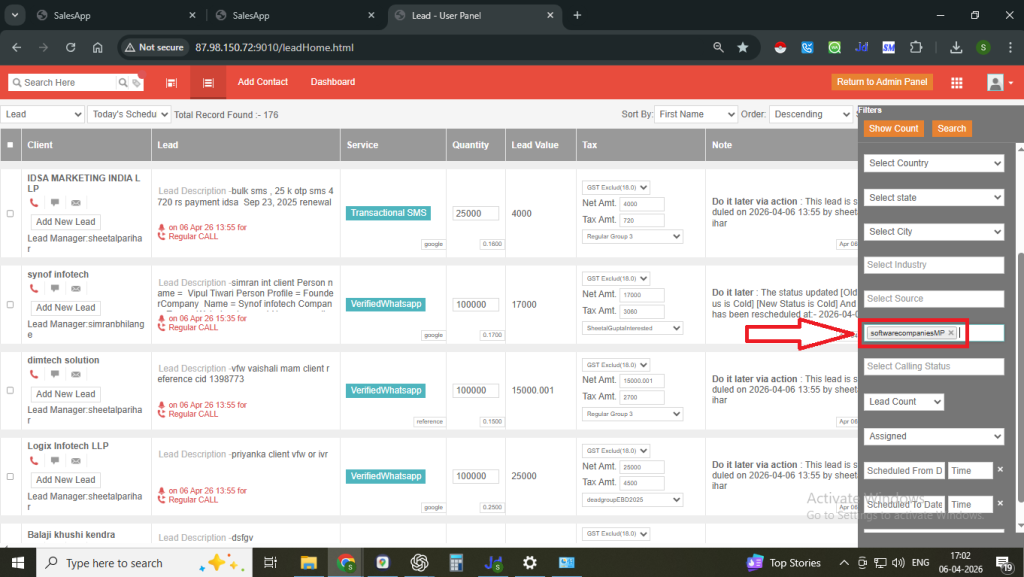
Note: Use tags available in Data upload to CRM (Column G)
Step 6: Then click on Search.
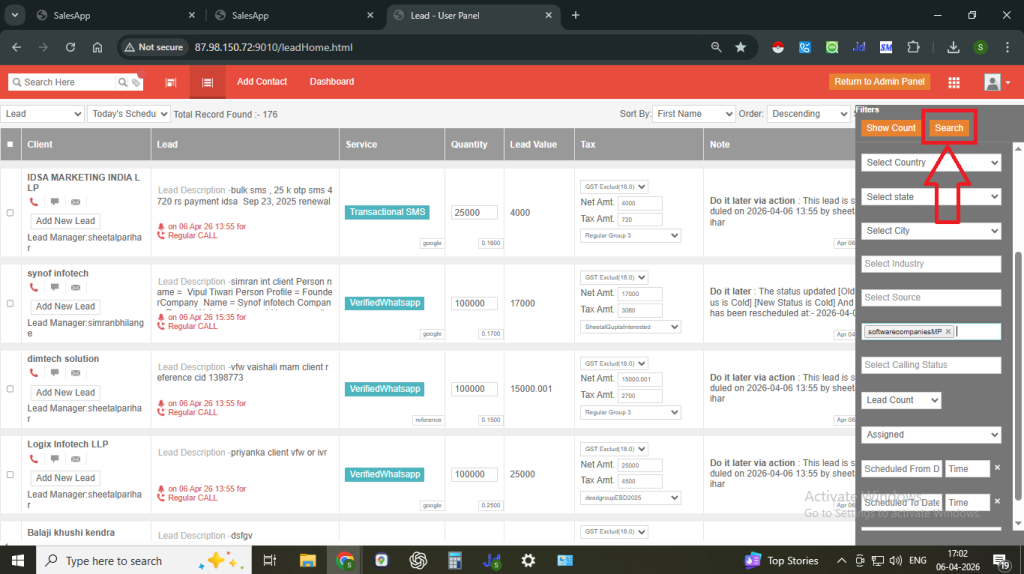
You will see all the records related to that tag along with the total count.
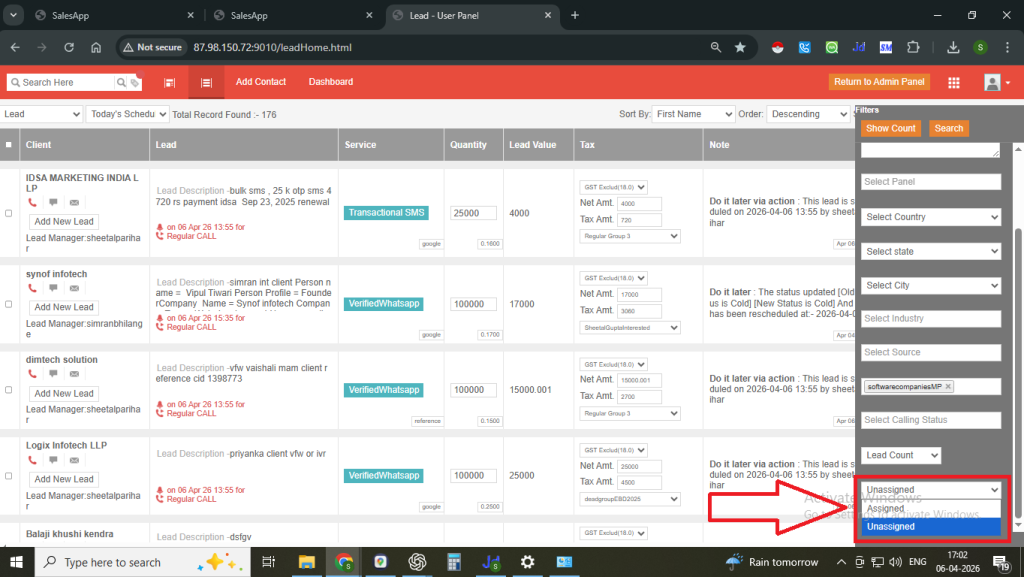
Step 7: Select Unassigned if the data is new or select Assigned if the data is already assigned to someone.
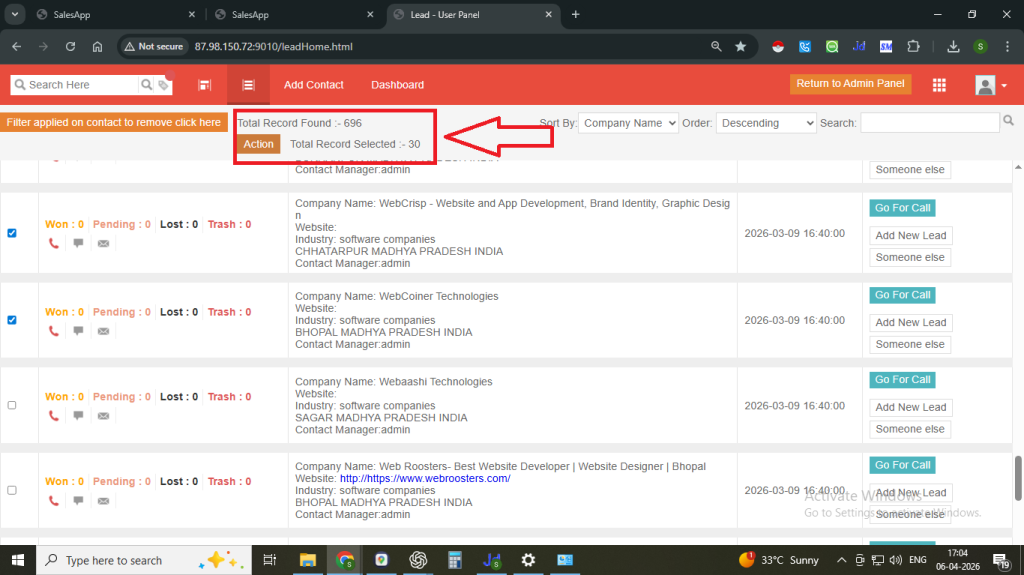
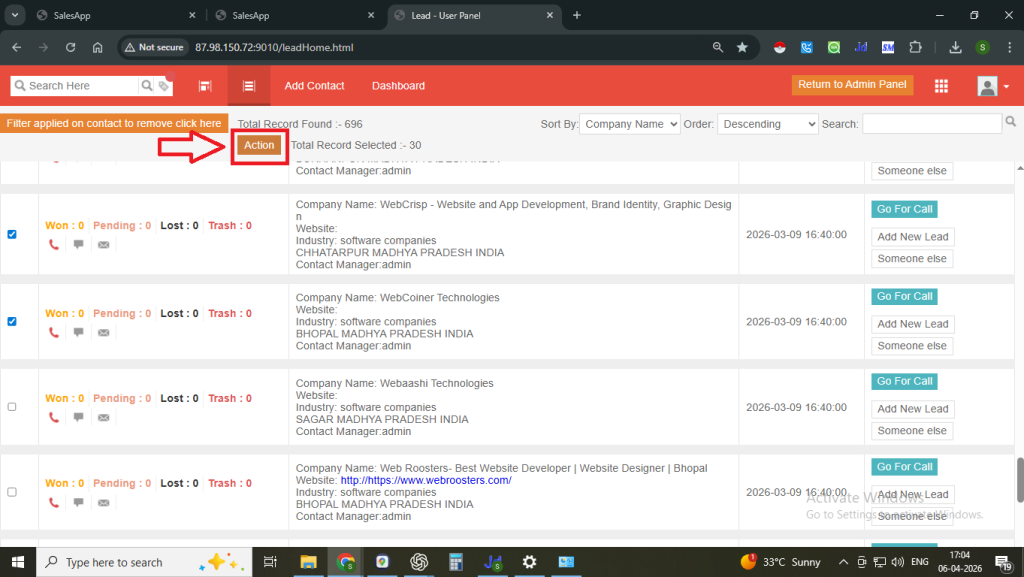
Step 8: Select the contacts you want to assign and then click on the ACTION button.
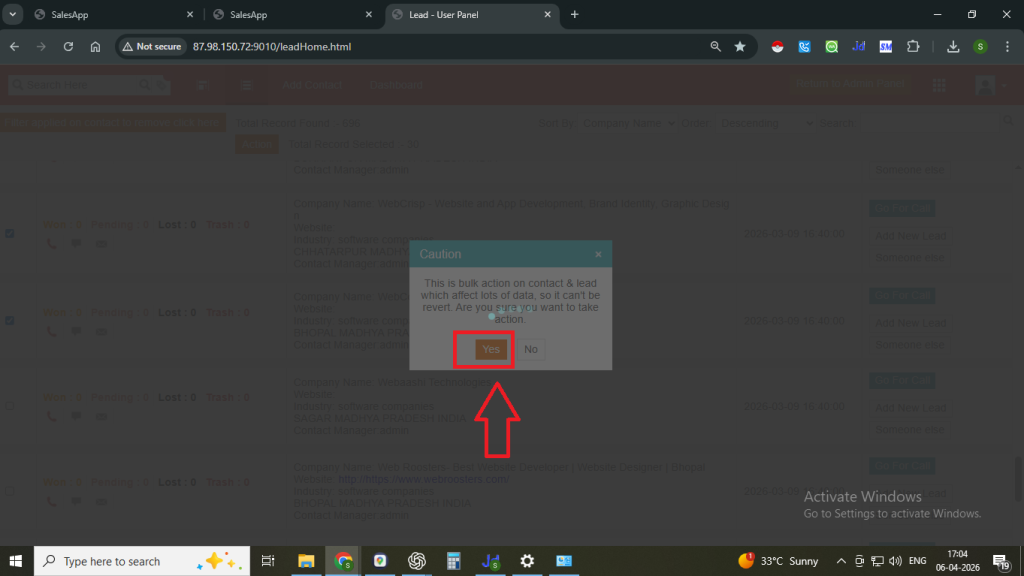
Now click on Yes to proceed.
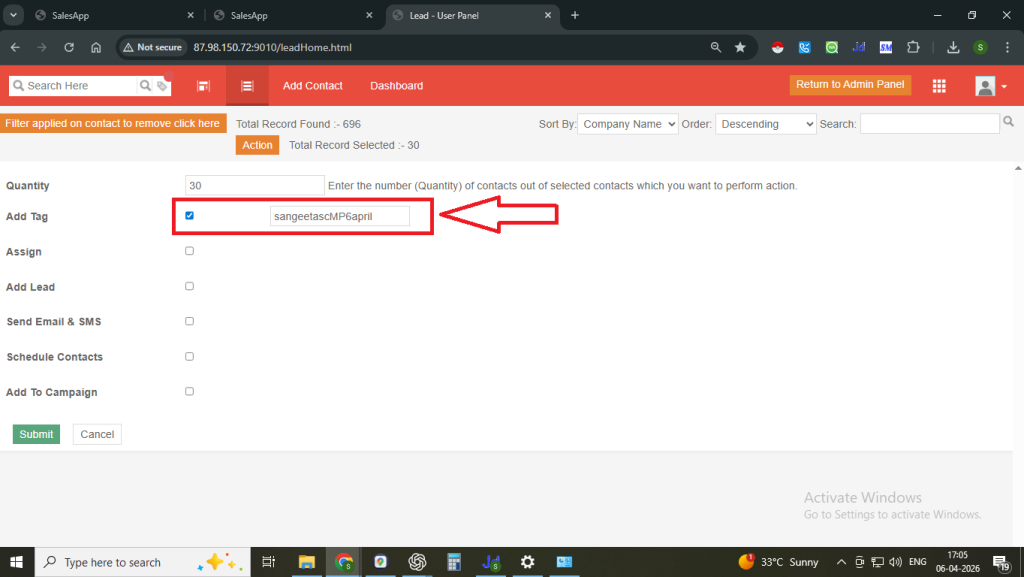
Step 9: Click on the Add Tag check box and enter a new tag with the person’s name
Example: sangeetascMP6april
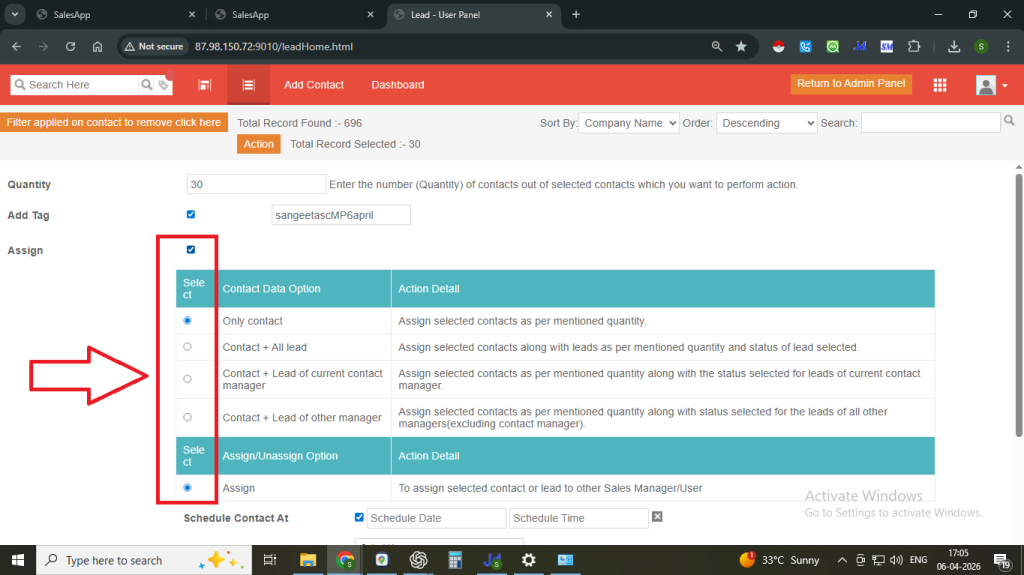
Step 10: Click on Assign and Schedule Contact.
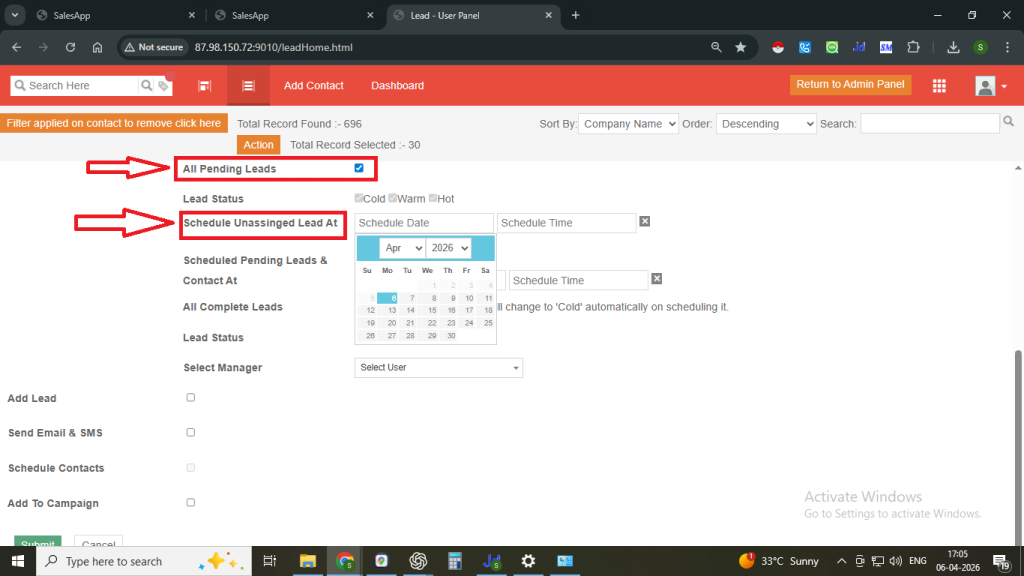
Step 11: Select the date and time to schedule unassigned leads at.
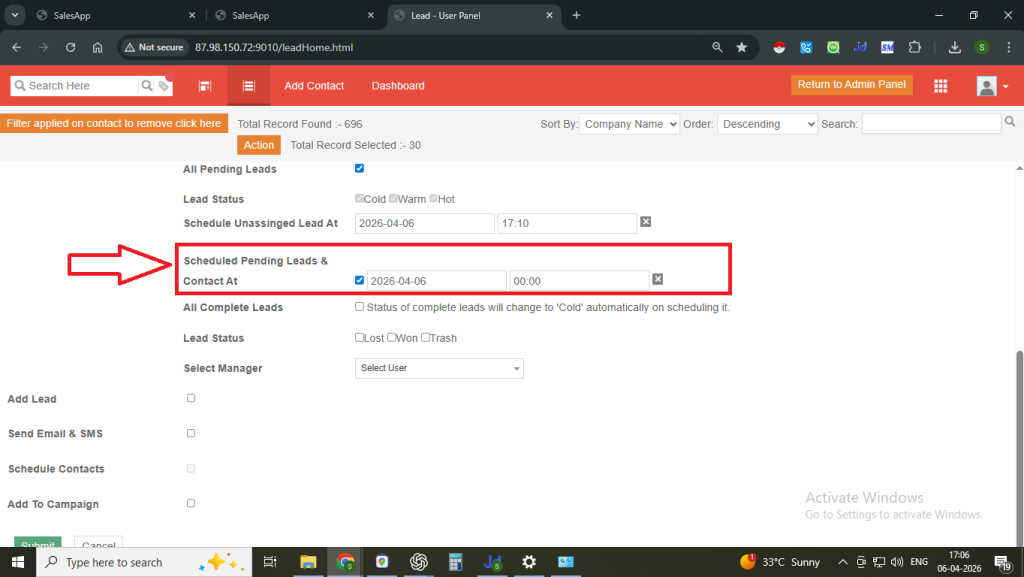
Also select the date and time to scheduled pending leads & contacts at.
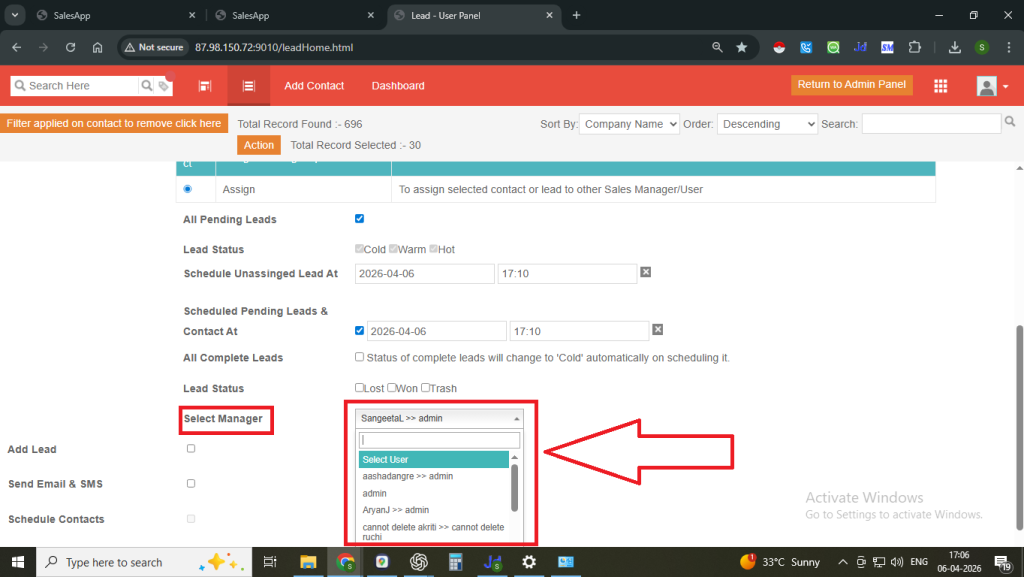
Step 12: Choose the Manager from the dropdown (the person to whom you want to assign the data).
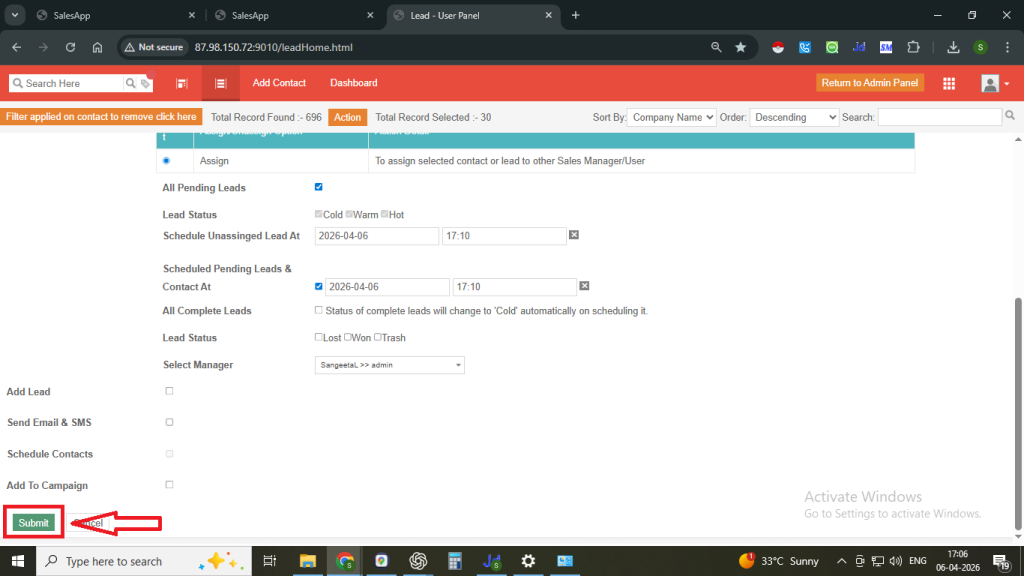
Step 13: Click on the Submit button.
Once you click on submit, a successful pop-up message will appear on the top.
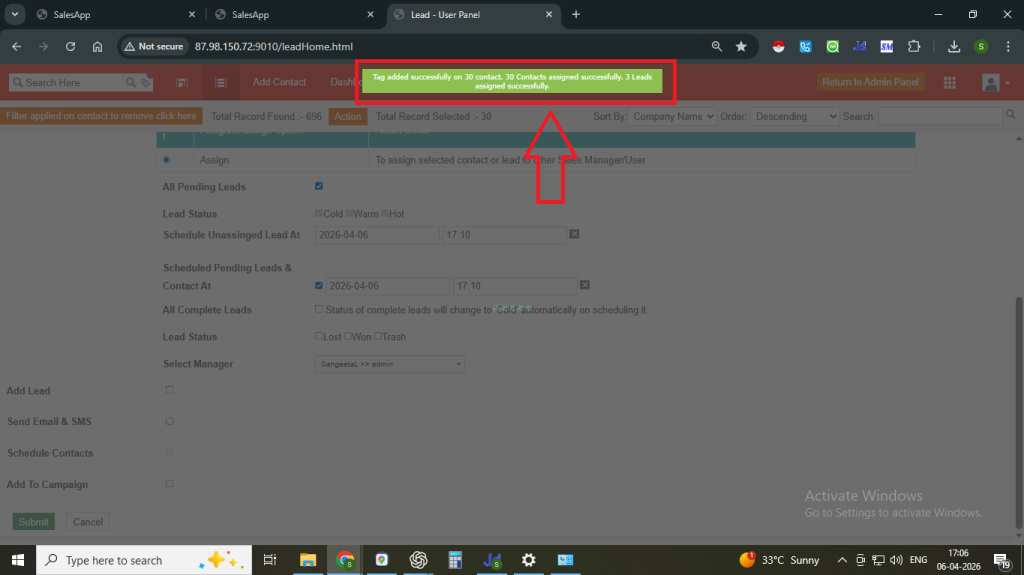
The data will now be assigned and will appear on the sales manager’s dashboard.
Note:
- Maintain a Data Assignment Sheet to track all assignments.
- The sales team should fill the Calling Data Request Form.
- Based on the request, assign the data and record the tag name and data count in the Calling Data Request form (Responses) sheet and also need to create the entry against it in the same sheet.
FAQs
Q. What is tag-based data assignment?
Ans. It is a method of assigning contact data by using tags to filter and distribute records to specific users.
Q. Why should I use tags for assigning data?
Ans. Tags help you easily identify and organise data, making it faster to assign and manage records.
Q. Can I assign both new and existing data?
Ans. Yes, you can assign both Unassigned data (new) and Assigned data (existing) using filters, but you can only assign the assigned data by taking approval from the stakeholders.
Q. What is the purpose of adding a new tag during assignment?
Ans. Adding a new tag helps you track which data has been assigned and to whom.
Q. How do I know how much data is available?
Ans. After applying filters, the system shows the total count of records at the top.
Q. Who is the Manager in the assignment process?
Ans. The Manager is the sales team member to whom the data is being assigned.
Q. Where can I track assigned data?
Ans. Assigned data can be viewed on the Sales Manager’s dashboard.
Q. Why is it important to maintain a data assignment sheet?
Ans. It helps track requests, assignments, and data count for better management and accountability.