
An IVR sales lead line that captures every enquiry
Ring the right salesperson within seconds, create the lead in your CRM before they pick up, and make sure no buyer's call is left unanswered.
- Speed to lead
- Leads stay with the company
- No silent missed leads
What is an IVR sales lead line?
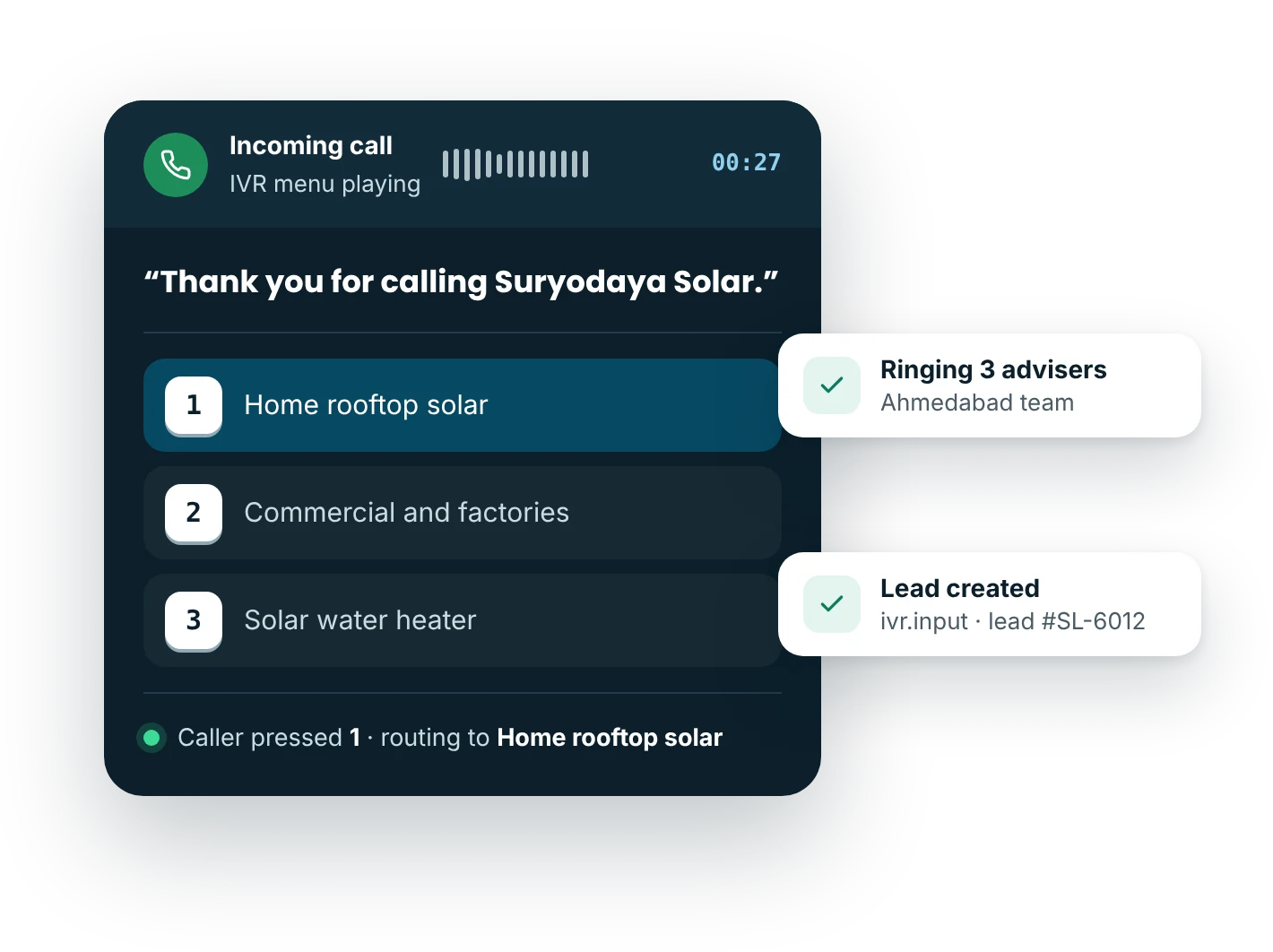
An IVR sales lead line is a phone number dedicated to new buyer enquiries. It greets callers, asks a short question such as product or city, and rings the matching sales team, often several reps at once. Each call creates or updates a lead in the CRM by webhook, and missed calls trigger an alert and an instant follow-up message.
Updated
Why use IVR for sales lead line?
How do you set up sales lead line with an IVR?
- Publish a dedicated sales numberSeparate from support, on ads, your website, brochures and listings.
- Ask one qualifying questionProduct, city or budget, chosen on the keypad in a few seconds.
- Ring the right repsSeveral sales numbers per option ring together or in turn until someone answers.
- Create the leadivr.input and call.completed webhooks create the lead with option, source number, owner and recording.
IVR prompt scripts for sales lead line
Copy, edit and use these as a starting point.
Thank you for calling Suryodaya Solar. To get a quote for rooftop solar for your home, press 1.
For factories, schools and commercial buildings, press 2.
For solar water heaters, press 3.
Please tell us where the installation will be. For Ahmedabad and Gandhinagar, press 1. For Surat and Vadodara, press 2. For any other city in Gujarat, press 3.
Our solar advisers are on other calls. We have noted your number and an adviser will call you back shortly. You will also receive an SMS with our brochure.
Record these prompts in your own voice or use text-to-speech in the MsgClub panel.
Which industries use IVR for sales lead line?
What are the best practices for sales lead line?
- Keep the sales line separate from the support number so buyers never queue behind complaints
- Ask only one qualifying question before connecting
- Ring two or three reps at once on high-value options
- Call back missed leads within 15 minutes and track the time it takes
- Missed sales calls and average callback time
- Leads and closed deals by option and source number
- Calls answered per sales rep and their conversion
Connect results to your CRM with the IVR API and webhooks. See how pricing works.
Questions about IVR sales lead line
Why use a separate IVR number for sales calls?
A separate sales number means buyers never wait behind support callers, every call to it is a lead by definition, and you can measure sales calls on their own. It can still report into the same panel as your support line.
Can several salespeople answer the same lead line?
Yes. Add several sales numbers to each option so they ring together or in turn. Whoever answers first gets the call, and the lead is assigned to them in your CRM through the call.completed webhook.
How does an IVR lead line connect to a CRM?
MsgClub posts webhooks when the caller chooses an option (ivr.input) and when the call ends (call.completed), with the caller number, number dialled, option, agent and recording link. Any CRM that can receive a webhook or call an API can create the lead.
What happens to sales calls that nobody answers?
A call.missed webhook alerts the team and can trigger an SMS or WhatsApp to the caller with a brochure and a promise of a callback. The missed lead also appears in reports, so managers see how quickly it was called back.
Should sales lead calls be recorded?
Usually yes. Recordings help managers coach reps, check what price or offer was quoted and resolve disputes. Mention recording in the greeting and limit download access to sales managers and trainers.
Can AI voice agents call back missed sales leads?
Yes. AI Voice agents can call missed and web leads within minutes, ask qualifying questions in Hindi or English, and pass interested buyers to your reps. IVR stays the best tool for routing the inbound calls themselves.
Related guides
More IVR use cases
Start sending in minutes
Create a free account to test the panel and API, or talk to our team about volumes, DLT setup and CRM integration.