
Abandoned cart recovery on WhatsApp
Bring shoppers back to the checkout they left, with the product image, a one-tap return link and an answer to whatever stopped them.
- Seen within minutes
- Questions answered, not just reminded
- Recovered revenue you can measure
What is WhatsApp abandoned cart recovery?
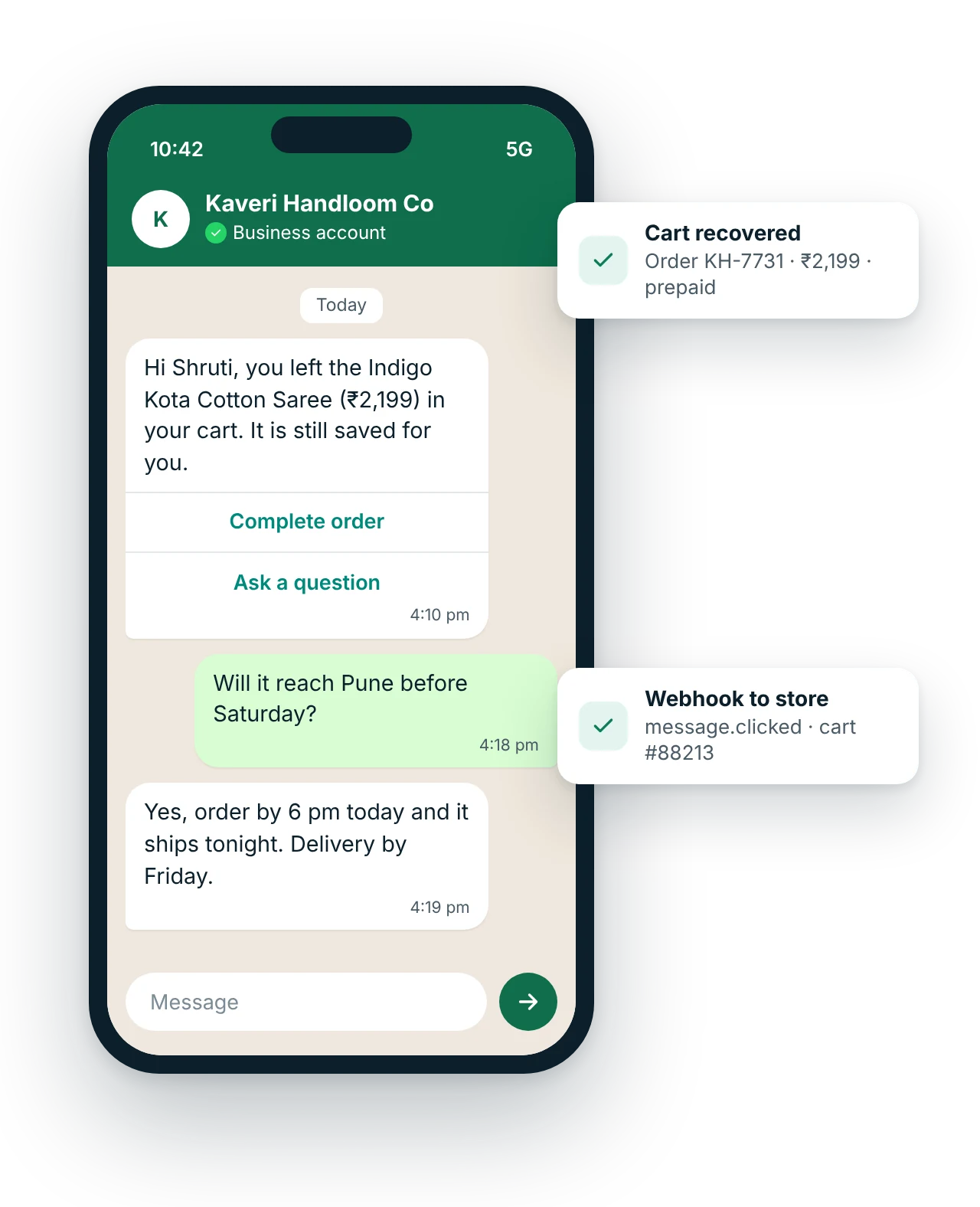
WhatsApp abandoned cart recovery sends an approved marketing template to a shopper who added items to a cart but did not pay, typically 30 minutes to a few hours later. The message shows the product image and price with a button that reopens the saved cart, and replies with questions about size, delivery or COD reach a person in chat.
Updated
Why use WhatsApp for abandoned cart recovery?
How do you set up abandoned cart recovery with WhatsApp?
- The store records the cartYour store platform logs the cart with the shopper's phone number and WhatsApp consent, captured at login or checkout.
- A timer startsIf no order is placed within your chosen delay, your store or automation tool calls the MsgClub API.
- The reminder goes outAn approved marketing template shows the product image, name and cart value with a Complete order button that opens the saved cart.
- Orders are matchedClicks arrive as webhooks, and the order event in your store stops any further reminders for that cart.
WhatsApp templates for abandoned cart recovery
Copy, edit and use these as a starting point.
Hi {{1}}, you left {{2}} in your cart at {{3}}. It is still saved for you. Questions about size or delivery? Just reply here.
[Complete order] [Ask a question]
Hi {{1}}, the {{2}} in your cart is selling fast and only {{3}} are left in your size. Your cart is saved until {{4}}.
[Complete order] [Stop reminders]
Hi {{1}}, your cart at {{2}} is waiting. Pay online and get {{3}} on this order. Cash on delivery is also available.
[Pay online] [Choose COD]
Submit each template to Meta for approval in your MsgClub panel. {{1}}, {{2}} are variables.
Which industries use WhatsApp for abandoned cart recovery?
What are the best practices for abandoned cart recovery?
- Send the first reminder 30 to 60 minutes after the cart is abandoned, not the next day
- Stop the sequence the moment an order is placed, and cap it at two reminders
- Show the actual product image in the template header, not a generic banner
- Offer a reply option so doubts about size or delivery reach a person
- Recovered orders as a share of carts reminded
- Click-through rate on the Complete order button
- Opt-out and block rate after reminders
Connect results to your CRM with the WhatsApp API and webhooks. See how pricing works.
Questions about WhatsApp abandoned cart recovery
Is an abandoned cart message marketing or utility on WhatsApp?
Marketing. Meta treats cart reminders as promotional because they encourage a purchase the customer has not made yet, so they are charged at the marketing rate and should go only to shoppers who agreed to receive messages. Order confirmations after payment are utility.
How soon should I send a WhatsApp cart reminder?
Within an hour works best for most stores, while the shopper still remembers the product. A second reminder 20 to 24 hours later can help for higher-value carts. Stop after two; more reminders tend to raise blocks without adding many orders.
How do I get consent for cart reminders?
Ask for it where you collect the phone number, usually at login with OTP or the checkout contact step, with a clear line such as Send me order updates and offers on WhatsApp. Store the consent with the customer record so your automation only messages those who agreed.
Can I recover carts from shoppers who did not log in?
Only if you captured a phone number and consent before they left, for example at the first checkout step. Anonymous visitors without a number cannot be reached on WhatsApp; retargeting ads that open a WhatsApp chat are the alternative for them.
Why are some cart reminders not delivered?
Meta limits how many marketing messages a person receives from businesses in a period, so a reminder may fail if the shopper already got several. Others fail because the number is not on WhatsApp. Failed messages are not charged by Meta, and the reason appears in your report.
Which store platforms can send WhatsApp cart reminders?
Any store that can call an API or trigger a webhook on cart events, directly or through Zapier. For Magento, ask whether MsgClub's plugin covers WhatsApp for your version. Your developer maps the cart event to the template, fills in the product and link, and listens for the order event to stop reminders.
Related guides
More WhatsApp use cases
Start sending in minutes
Create a free account to test the panel and API, or talk to our team about volumes, DLT setup and CRM integration.