
WhatsApp Business API for dental clinics
Cut no-shows, share treatment plans and X-rays, and remind patients about the next sitting, all from your clinic's verified WhatsApp number.
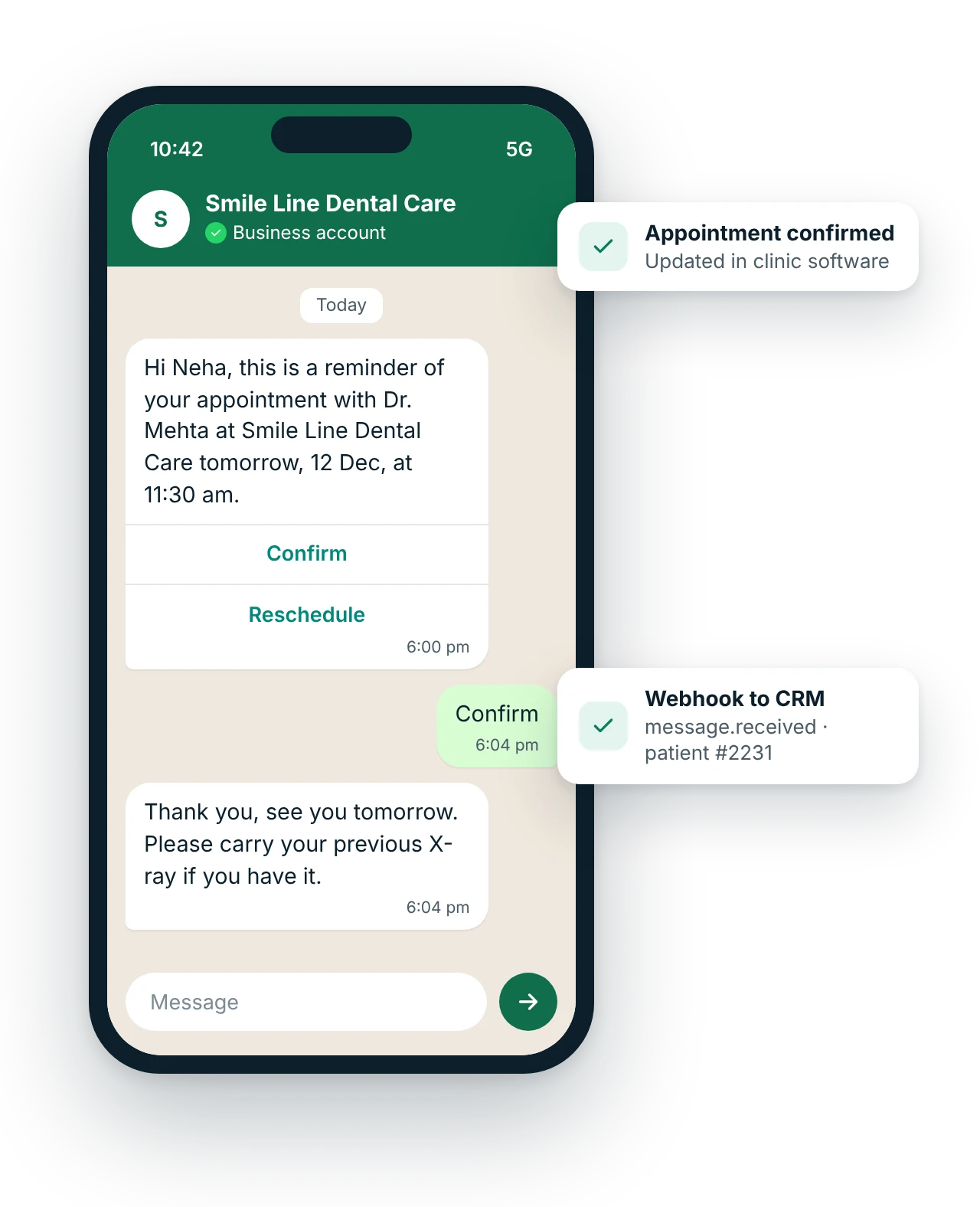
How do dental clinics use WhatsApp Business API?
Dental clinics use WhatsApp Business API to send appointment reminders with confirm and reschedule buttons, share treatment plans, X-rays and prescriptions, remind patients about the next sitting or aligner change, collect instalments with payment links and answer common questions with a chatbot, all from one verified clinic number your whole front desk can use.
Updated
Key facts: WhatsApp for dental clinics
- Channel
- WhatsApp Business API
- Best for
- Appointment reminders with buttons; Next sitting and aligner reminders; Treatment plans and X-rays
- Message types
- Utility template, Service reply, Chatbot, Marketing template
- Who it suits
- Single-chair clinics, Multi-chair practices, Dental chains, Orthodontists and aligner providers
- Rules
- Meta-approved templates and customer opt-in; free-form replies only within 24 hours of the customer's last message
- Pricing model
- Meta's per-message rate by template category, plus a MsgClub platform fee. WhatsApp API pricing explained
- Integration
- REST API and webhooks (message.delivered, message.read, message.received) into your own software. WhatsApp API
What problems does WhatsApp solve for dental clinics?
Which WhatsApp messages should dental clinics send?
Ready-to-use WhatsApp templates for dental clinics
Copy, edit and use these as a starting point.
Hi {{1}}, this is a reminder of your appointment with {{2}} at {{3}} on {{4}} at {{5}}. Please reply or tap a button below.
[Confirm] [Reschedule]
Hi {{1}}, your next sitting for {{2}} is due this week. Completing the treatment on time protects the tooth. Tap below to pick a slot.
[Book my slot]
Hi {{1}}, the next instalment of ₹{{2}} for your {{3}} treatment at {{4}} is due on {{5}}. Pay securely here: {{6}}
Submit each template to Meta for approval in your MsgClub panel. {{1}}, {{2}} are variables.
How does WhatsApp work for dental clinics?
- Your clinic software books the visitThe appointment is created in your practice management software or a shared sheet.
- MsgClub sends the reminderAn approved utility template goes out a day before, with Confirm and Reschedule buttons.
- The patient taps a buttonA confirmation updates the schedule; a reschedule request goes to the front desk inbox.
- Results sync backEach delivery, read and reply is posted to your software by webhook.
Which other channels suit dental clinics?
Use them together from one account, with shared contacts, reports and webhooks.
Questions about WhatsApp Business API for dental clinics
Can a dental clinic send X-rays and prescriptions on WhatsApp?
Yes. You can send images and PDFs in a WhatsApp chat once the patient has messaged you or agreed to receive messages, and they stay in the conversation history on the clinic number. Many clinics send the X-ray right after the visit so the patient has it for a second opinion or insurance.
Do appointment reminders need Meta approval?
Yes. Any message you start, such as a reminder, must use a template approved by Meta. Appointment reminders usually qualify as utility templates. MsgClub helps you write them so they are approved, and you submit them from your panel.
Can patients reschedule from the reminder itself?
Yes. Add a Reschedule button to the template. When a patient taps it, the reply reaches your team inbox or chatbot, which can offer open slots, and the result is sent to your clinic software by webhook.
How much does WhatsApp cost for a dental clinic?
Meta charges per delivered template message by category, and under its current pricing service replies are free up to 1,000 per number each month. MsgClub adds a platform fee. A clinic sending a few hundred reminders a month usually spends far less than one empty chair costs. See WhatsApp pricing for details.
Can more than one receptionist use the same WhatsApp number?
Yes. With the MsgClub team inbox, several staff members can reply from the clinic's one WhatsApp number, with chats assigned to each person and a full history, instead of using a personal phone.
Can we remind patients about six-month check-ups?
Yes, if they have opted in. A recall invitation is a marketing template, so it is charged at the marketing rate and should go only to patients who agreed to receive offers and updates from the clinic.
Which other industries use WhatsApp Business API?
WhatsApp use-case guides for dental clinics
All WhatsApp industriesAll WhatsApp use casesWhatsApp Business APIAPI and webhooksPricing
Start sending in minutes
Create a free account to test the panel and API, or talk to our team about volumes, DLT setup and CRM integration.