
WhatsApp Business API for small and medium businesses
Move sales, accounts and support off personal phones onto one business number, with invoices, dues reminders and offers sent from the tools you already use.
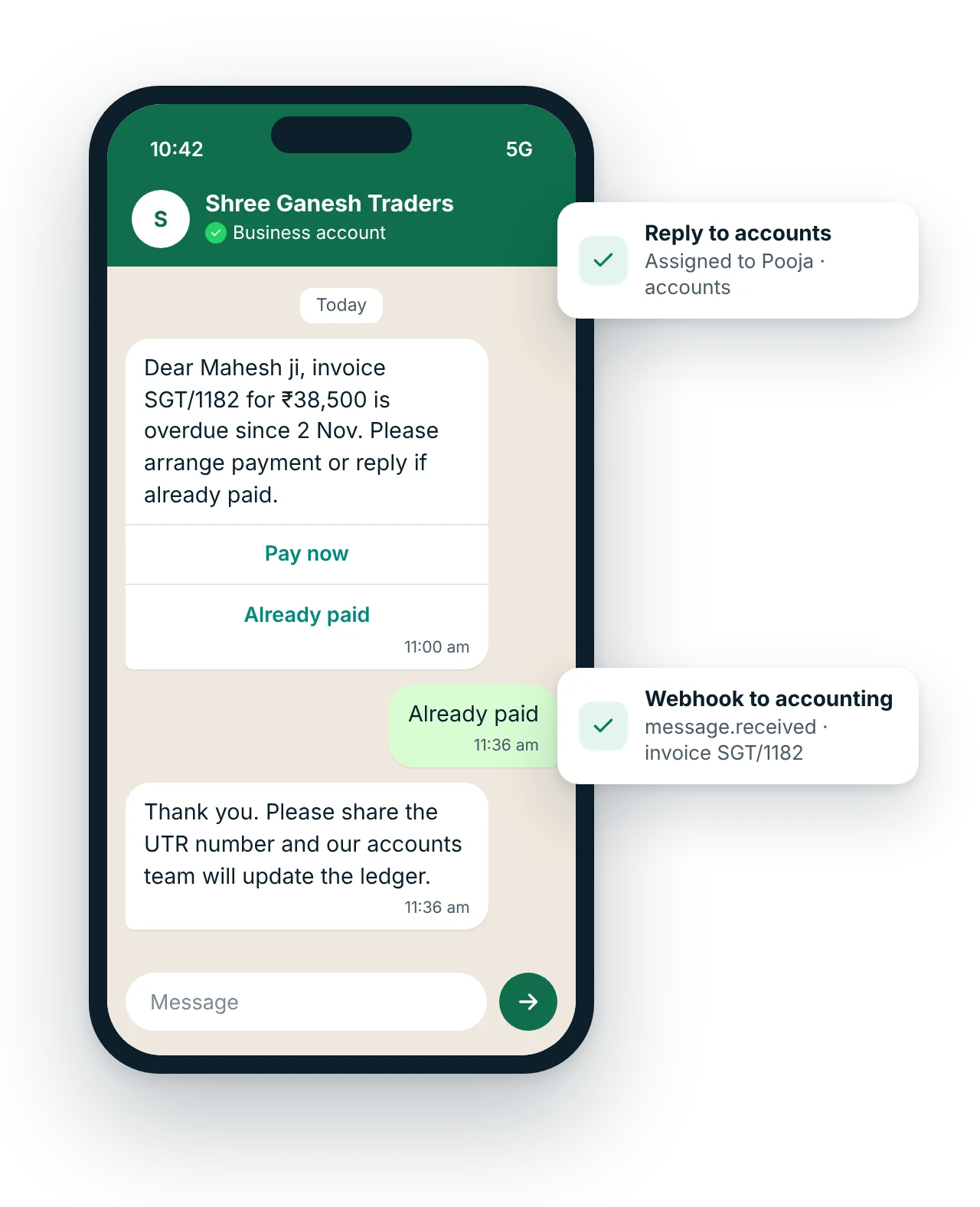
Is WhatsApp Business API useful for small businesses?
WhatsApp Business API is useful for small businesses once more than one or two people handle customer chats, or when messages should be sent automatically from billing or accounting software. It allows a shared team inbox on one number, invoice and payment reminders from tools like Tally or Google Sheets, a chatbot for common questions and broadcasts to opted-in customers.
Updated
Key facts: WhatsApp for small and medium businesses
- Channel
- WhatsApp Business API
- Best for
- Shared inbox for sales and accounts; Invoice and ledger sharing; Payment due reminders
- Message types
- Service reply, Utility template, Chatbot, Marketing template
- Who it suits
- Traders, wholesalers and manufacturers, Service businesses with a small office team, Shops growing into several branches, Businesses running Click-to-WhatsApp ads, Companies replacing the owner's personal WhatsApp
- Rules
- Meta-approved templates and customer opt-in; free-form replies only within 24 hours of the customer's last message
- Pricing model
- Meta's per-message rate by template category, plus a MsgClub platform fee. WhatsApp API pricing explained
- Integration
- REST API and webhooks (message.delivered, message.read, message.received) into your own software. WhatsApp API
Signs you have outgrown the free app
Practical SME uses
SME templates
Copy, edit and use these as a starting point.
Dear {{1}}, invoice {{2}} dated {{3}} for ₹{{4}} from {{5}} is attached. Payment is due by {{6}}.
[Pay now] [Query on invoice]
Dear {{1}}, as per our records, invoice {{2}} for ₹{{3}} is overdue since {{4}}. Please arrange payment or reply if already paid.
[Pay now] [Already paid]
Hi {{1}}, fresh stock of {{2}} has arrived at {{3}}. Book your order this week. Reply STOP to opt out.
[Place order] [Get price list]
Submit each template to Meta for approval in your MsgClub panel. {{1}}, {{2}} are variables.
How does WhatsApp work for small and medium businesses?
- Connect your numberMove your business number to the API with MsgClub's onboarding team and set up your profile.
- Add your teamGive sales, accounts and support staff their own logins to the team inbox, web or mobile.
- Connect your toolsLink Tally, BUSY, a Google Sheet or your CRM so invoices and reminders send themselves.
- Grow with templatesGet utility and marketing templates approved and start broadcasting only to opted-in customers.
Which other channels suit small and medium businesses?
Use them together from one account, with shared contacts, reports and webhooks.
Questions about WhatsApp Business API for small and medium businesses
When should a small business move from the WhatsApp Business app to the API?
Move when several people need to reply from one number, when you want invoices and reminders sent automatically, when your broadcasts outgrow the app's lists, or when you run Click-to-WhatsApp ads at volume. A single owner replying to a few customers a day can stay on the app.
Can I send payment reminders to my buyers on WhatsApp?
Yes. Overdue reminders that state the invoice, amount and due date are utility templates. They can be sent automatically from your accounting data, with a payment link and an Already paid button that routes the reply to your accounts team.
Does MsgClub work with Tally?
MsgClub's plugins for Tally, BUSY, Marg and Google Sheets were built for SMS. Our team will confirm whether your version can also send WhatsApp invoices or reminders; if not, Zapier or a small script calling the API and webhooks connects your software.
What does WhatsApp API cost a small business?
You pay Meta's per-message rates for templates, by category, plus service replies beyond 1,000 a month per number under Meta's current pricing, and MsgClub's platform fee. There is no setup charge from Meta. Most SMEs start small and grow; see WhatsApp pricing for how to estimate it.
Can several staff use the same business WhatsApp number?
Yes. On the API, the number is used through the MsgClub team inbox, where each staff member has a login on the web panel or mobile app. Chats can be assigned, labelled and transferred, and the owner sees every conversation.
Will my number get banned for sending bulk messages?
Not if you use the official API, send approved templates only to opted-in customers and keep quality high. Bans usually come from unofficial bulk tools or many users blocking and reporting your messages. Meta also sets a messaging limit that rises as you send good-quality messages.
Which other industries use WhatsApp Business API?
WhatsApp use-case guides for small and medium businesses
All WhatsApp industriesAll WhatsApp use casesWhatsApp Business APIAPI and webhooksPricing
Start sending in minutes
Create a free account to test the panel and API, or talk to our team about volumes, DLT setup and CRM integration.