
Product announcement calls with voice broadcast
Tell customers and dealers about a new product, service, branch or price change in a recorded voice, and hand the interested ones straight to sales.
- Interest sorted for sales
- Reaches dealers and older buyers
- One voice, one message
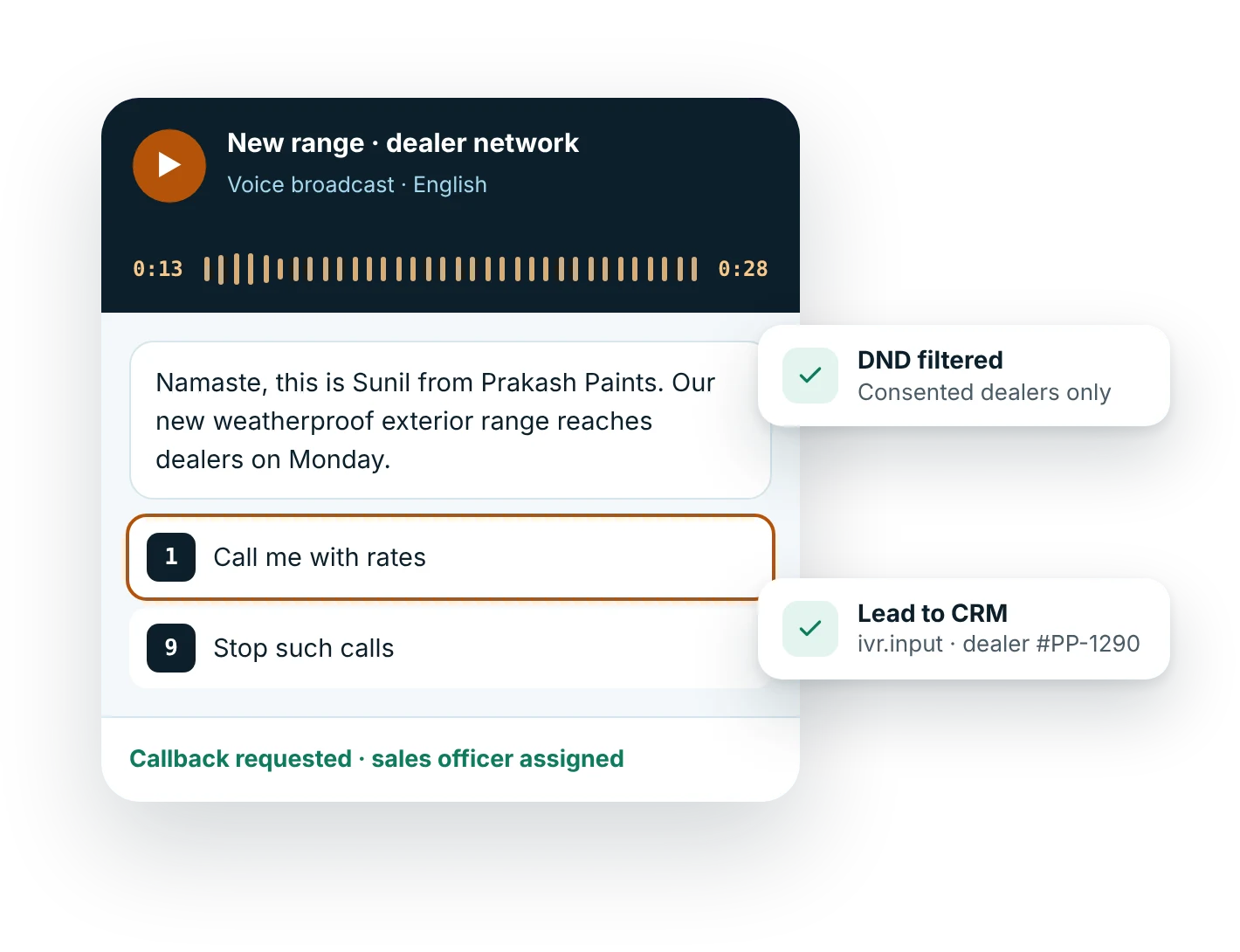
Can you announce a new product with a voice call?
Yes. A product announcement call is a short recorded message telling existing customers, dealers or opted-in leads about a new product, service, branch or price change, ending with press 1 for a call from sales. Because it is promotional, it must follow TRAI rules: consent or a non-DND number, 140-series calling and 10 am to 9 pm.
Updated
Why use voice broadcast for product announcements?
How do you set up product announcements with voice broadcast?
- Clean the listStart from customers and leads who agreed to hear from you, and run the DND filter for anyone without explicit consent.
- Record a 25-second messageWho you are, what is new, the one benefit that matters and press 1 for a call.
- Send within permitted hoursSchedule between 10 am and 9 pm from 140-series numbers, with a gentle retry policy.
- Sales follows up press 1Interested listeners land in your CRM by webhook, ready for a sales call the same day.
Call scripts for product announcements
Copy, edit and use these as a starting point.
Namaste, this is {owner} from {company}. We have launched {product}, available to dealers from {date} with introductory margins for the first month. Samples are with your area sales officer. To place an order or get the rate list, press 1 and our team will call you. To stop such calls, press 9.
Hello, this is {business}. We are happy to share that our new branch at {location}, near {landmark}, opens on {date}, with the same services and timings as our {old_branch} branch. Press 1 to hear the address again. To stop calls from us, press 9.
Hello {name}, this is {company}. Customers on your {current_plan} plan can now upgrade to {new_plan}, which includes {benefit}. Your current plan continues unchanged unless you choose to upgrade. To get a call from our team with details, press 1. To stop such calls, press 9.
Record the script or use text-to-speech. Keep calls under 30 seconds where you can.
Which industries use voice broadcast for product announcements?
What are the best practices for product announcements?
- Call only customers, dealers or leads who have a relationship with you, and filter DND for the rest
- Lead with what is new in the first ten seconds, before listeners hang up
- Use a recorded human voice for launches; save text-to-speech for personalised updates
- Always include an opt-out key and remove those numbers from future promotional lists
- Press 1 rate per list and per language
- Conversion of press 1 callbacks into orders
- Opt-out rate, as a warning sign of list fatigue
Connect results to your CRM with the Voice broadcast API and webhooks. See how pricing works.
Questions about voice broadcast product announcements
Are product announcement calls allowed under TRAI rules?
Yes, as promotional calls. They must come from 140-series numbers under TRAI's numbering rules, go only between 10 am and 9 pm, and reach only people who consented or are not on the DND register. Keep an opt-out key and honour it.
Can I announce a price change to existing customers?
Yes. A notice that affects an existing contract or order, such as revised rates for a dealer, is closer to service communication. If the same call pushes new products or offers, treat it as promotional and follow promotional rules.
Should I use a recording or text-to-speech for a launch?
A recording in a real voice, ideally someone customers know, works best for launches because it sounds like a person telling them about something new. Use text-to-speech when each listener's plan, name or dealer code should be read out.
How long should a product announcement call be?
About 20 to 30 seconds. Name your business, say what is new, give one benefit and offer press 1 for a callback. Leave prices, specifications and conditions for the sales conversation or a follow-up message.
What happens when someone presses 1?
The keypress is saved against their number and can be sent to your CRM as an ivr.input webhook, creating a lead for sales. For an automated call that explains the product and answers questions in conversation, consider MsgClub AI Voice.
Can I send announcement calls to bought lists?
It is not advisable. Purchased lists rarely carry valid consent, many numbers are on DND, and complaints can lead to action against your sender. Announce to your own customers, dealers and enquirers.
Related guides
More Voice broadcast use cases
Start sending in minutes
Create a free account to test the panel and API, or talk to our team about volumes, DLT setup and CRM integration.